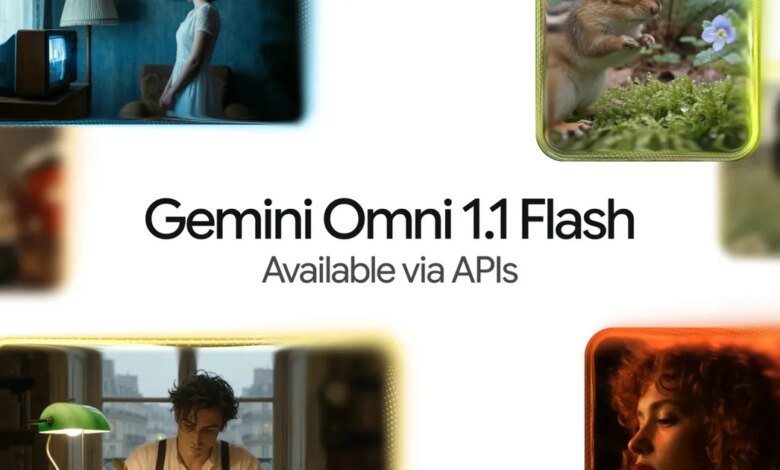
Google Releases Gemini Omni 1.1 Flash to Fix AI Video Continuity and Reduce Render Costs
Generating an isolated, short AI video clip has become relatively straightforward, but producing a sequence of shots that maintain visual consistency from one frame to the next remains one of generative AI’s most difficult hurdles. Google is directly addressing this structural challenge with Gemini Omni 1.1 Flash, its latest generative video model designed to give creators and developers significantly tighter control over visual continuity, shot pacing, and production workflows.
Rather than treating every video prompt or continuation as a near-blind guess, Gemini Omni 1.1 Flash incorporates expanded temporal context, structured keyframing options, and lightweight draft modes. Taken together, these updates focus less on mere novelty and more on making synthetic video predictable enough for practical application in digital production environments.
Overcoming Visual Drift Through Extended Temporal Memory
One of the primary frustrations in generative video production is visual drift—the tendency for characters, lighting, background assets, and physical spatial relationships to alter unpredictably between sequential renders. Earlier video models typically examined only the final frame or the last second of pre-existing video when attempting to extend a clip. This limited context often resulted in abrupt shifts in aesthetic style, sudden mutations in character features, or illogical changes in environment physics.
Gemini Omni 1.1 Flash addresses this limitation by expanding its active context window to analyze up to 10 seconds of previous footage. By evaluating a broader timeline of preceding imagery, the model gains a clearer understanding of motion trajectory, spatial geometry, and character detail. The practical result is a notable reduction in visual distortion when expanding scenes, allowing consecutive shots to feel connected rather than stitched together from unrelated generations.
Moving Beyond Micro-Clips: Extending Video Timelines
In addition to improving visual continuity, Google has expanded the total runtime boundaries for continuous video generation. Creators can now extend existing scenes in 10-second increments up to a maximum total length of 40 seconds. While 40 seconds remains brief by traditional filmmaking standards, it represents a substantial expansion for generative AI pipelines, which have historically struggled to output coherent footage beyond a few seconds.
This extended length changes how visual assets can be constructed. Instead of producing short, standalone looping clips or isolated micro-shots, users can construct sequential shots with a recognizable narrative structure—incorporating an initial setup, intermediate movement, and a logical resolution within a single continuous output. For visual editors and application developers, this reduces the need to perform complex manual compositing or masking in third-party software simply to make two related AI shots align.
Directed Scene Interpolation and Reference-Based Consistency
To provide creators with deliberate camera and framing choices, Gemini Omni 1.1 Flash introduces keyframe-based scene interpolation. Users can supply both the starting frame and the desired ending frame for a given shot, prompting the model to generate the intermediate frames necessary to bridge the gap. This capability allows for engineered camera movements, such as calculated pans, continuous tracking shots, smooth zooms between different focal compositions, or seamless transitions engineered specifically for infinite looping.
To further protect visual fidelity across distinct generations, the model supports reference video inputs. Creators can upload up to three seconds of existing footage to serve as an anchoring style guide. Gemini Omni 1.1 Flash uses this reference material to preserve key visual attributes—such as character clothing, facial structures, brand colors, and background aesthetic elements—across entirely new generated sequences. This helps prevent the visual identity of a character or environment from changing halfway through a project.
Production Economics: Rapid Previews and High-Resolution Upscaling
Generative video workflows are notoriously resource-intensive and expensive. Iterating through multiple text prompts or camera instructions at full resolution can quickly strain compute resources and inflate project costs. To address this operational bottleneck, Google has introduced a low-resolution drafting tier within Omni 1.1 Flash.
Developers and visual artists can generate 360p draft previews that process up to 60 percent faster than standard 720p generations while costing approximately one-third of the compute expense. This lower-tier output enables rapid experimentation, allowing users to fine-tune motion parameters, test prompt logic, and verify framing choices before committing resources to final renders. Once a composition is approved, the model can generate full 1080p footage directly or upscale completed assets up to 4K resolution for final delivery.
Structural Breakdown of Gemini Omni 1.1 Flash Capabilities
The operational features built into Gemini Omni 1.1 Flash highlight a shift toward structured production workflows within generative video tools:
| Capability / Feature | Technical Parameter | Practical Production Impact |
|---|---|---|
| Context Memory Window | Up to 10 seconds of previous footage | Reduces visual drift, keeping characters, objects, and lighting consistent across scene transitions. |
| Timeline Extension | 10-second increments up to 40 seconds max | Allows creators to generate structured narrative clips with a clear beginning, middle, and end. |
| Keyframe Interpolation | First and final frame targeting | Enables controlled camera moves, directional zooms, and precise loop creation without manual compositing. |
| Visual Reference Input | Up to 3 seconds of sample video | Locks character appearances, art styles, and environmental details across multi-shot sequences. |
| Draft Preview Mode | 360p resolution (~60% faster, ~33% of 720p cost) | Accelerates prompt testing and motion design while lowering overall compute expenses. |
| Final Master Output | 1080p direct render / 4K upscaling | Delivers high-definition visual assets suitable for professional publishing and application integration. |
Ecosystem Deployment and Platform Integration
Google is deploying Gemini Omni 1.1 Flash across both its developer infrastructure and consumer-facing applications. Technical teams and software engineers can access the model via the Gemini API within Google AI Studio, while enterprise organizations can deploy it through Google’s Agent Platform for custom software integrations.
For standalone creators and end-users, Omni 1.1 Flash is rolling out globally within Google Flow for subscribers on AI Plus, Pro, and Ultra tiers. Additionally, scene extension capabilities are being integrated directly into the standard Gemini app interface for paid tier subscribers, giving users direct access to video expansion capabilities without requiring specialized development tools.
Strategic Implications for Generative Video
The introduction of Gemini Omni 1.1 Flash signals a broader maturation in AI video tools. Early iterations of generative video relied primarily on high single-frame visual fidelity to mask a lack of temporal control. However, for video models to become standard utility tools in marketing, software development, and digital entertainment, predictability and cost control are far more critical than isolated visual flair.
By pairing temporal context memory with rapid low-cost previewing and precise start-and-end framing, Google is shifting the conversation from simple video creation to functional video editing. Important questions remain regarding how reliably the model maintains character consistency across complex multi-shot edits or extreme lighting shifts. Nevertheless, providing creators with structural handles—rather than forcing them to rely on trial-and-error prompt revisions—represents a practical step toward making generative video standard infrastructure for visual media production.