Get a Microsoft Windows 11 Pro and Office 2021 Lifetime License Bundle for $32.97

Upgrading System Security and Productivity: A Detailed Analysis of the Windows 11 Pro and Office 2021 Bundle
Modern workstation configuration often requires managing two distinct software layers: the underlying operating system that governs hardware security and file systems, and the application suite used for daily task management, document creation, and communications. While operating systems and office productivity suites are traditionally acquired separately—or accessed through recurring subscription models—bundled software offerings combine both into a single deployment step.
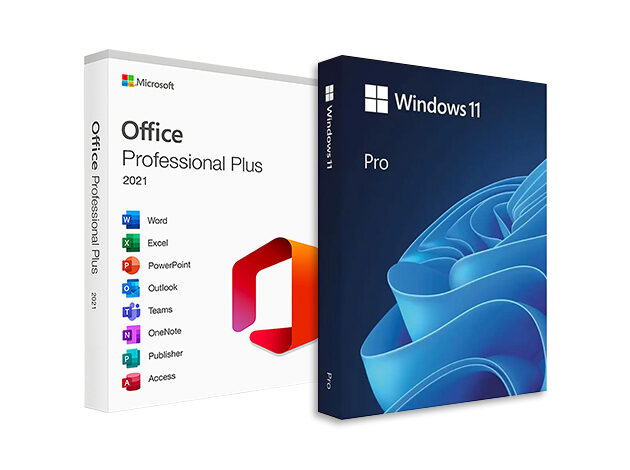
A current software offer distributed via StackSocial packages perpetual licenses for both Windows 11 Pro and Microsoft Office Professional 2021 for Windows at a one-time cost of $32.97, down from an aggregated list price (MSRP) of $418.99. Available through September 1, the bundle provides standalone software keys for a single compatible PC. Understanding the core capabilities, architectural features, hardware dependencies, and licensing limitations of this offer is essential for individuals and organizations evaluating system upgrades.
Deconstructing the Microsoft Office Professional 2021 Productivity Suite
The desktop application suite included in this bundle represents the perpetual-license version of Microsoft’s established productivity software for the Windows platform. Unlike cloud-subscription frameworks that require ongoing monthly or annual fees, Office Professional 2021 relies on a local installation model tied to a single machine. The suite encompasses eight separate applications tailored for administrative, analytical, and design tasks:
- Microsoft Word: Handles text processing, formatting controls, layout adjustments, and document composition.
- Microsoft Excel: Provides structured spreadsheet environments for data analysis, mathematical modeling, and tabular reporting.
- Microsoft PowerPoint: Facilitates visual presentation design, slide layout creation, and multimedia integration.
- Microsoft Outlook: Manages personal information, desktop email workflows, calendar scheduling, and contact databases.
- Microsoft Teams: Integrates basic workplace communication tools and collaborative messaging.
- Microsoft OneNote: Offers digital notebook organization for informal documentation, note-taking, and information capture.
- Microsoft Publisher: Supplies page layout and design tools for marketing materials, newsletters, and printable assets.
- Microsoft Access: Enables desktop database creation, relational data management, and custom business reporting.
The user interface continues to rely on the standard ribbon navigation system, placing layout controls, font settings, and formatting tools in tabbed toolbars. For users operating in environments with strict network boundaries or those who prefer localized application storage, the offline accessibility of Office Professional 2021 provides operating consistency without dependency on active cloud subscriptions.
Windows 11 Pro: System Infrastructure and Enterprise Features
The operating system component of the bundle upgrades standard consumer environments to Windows 11 Pro. While Windows 11 Home caters primarily to baseline consumer computing, the Pro edition integrates advanced security frameworks, virtualization capabilities, and centralized management tools designed for professional and commercial network environments.
Security features represent a primary point of differentiation. Windows 11 Pro utilizes BitLocker full-disk encryption, allowing users to encrypt entire physical drives to safeguard sensitive files against unauthorized access in the event of hardware loss or theft. Furthermore, the operating system relies on Trusted Platform Module (TPM 2.0) hardware architecture to enable biometric authentication through Windows Hello, securing user logins at the hardware level.
For development, testing, and system administration, Windows 11 Pro includes native virtualization utilities:
- Hyper-V: Allows administrators and developers to create and execute guest virtual machines directly on the host operating system without third-party software.
- Windows Sandbox: Establishes a temporary, isolated desktop environment designed for executing unverified applications or suspicious software without altering the primary system state.
From an operational standpoint, Windows 11 Pro incorporates Azure Active Directory (Azure AD) integration, enabling seamless connection to corporate identity management systems, domain policies, and restricted network resources. Interface and performance additions include customizable Snap layouts for multi-monitor multitasking, DirectX 12 Ultimate support for graphics rendering, and taskbar access to artificial intelligence assistance via Microsoft Copilot.
System Compatibility and Technical Prerequisites
Before deploying Windows 11 Pro, verifying physical hardware compatibility is a mandatory prerequisite. Microsoft established stringent hardware baselines for Windows 11, focusing heavily on modern processor architectures, Secure Boot capabilities, and mandatory TPM 2.0 support.
Potential buyers must assess system eligibility by running Microsoft’s official PC Health Check application prior to purchasing or attempting installation. If an existing computer running Windows 10 fails to meet the hardware threshold required to receive the standard Windows 11 upgrade through Windows Update, it will similarly be unable to install or run the Windows 11 Pro software provided in this bundle. Attempting installation on unsupported hardware can result in setup failures or system instability.
Comparing Bundle Components and Deployment Specifications
To assist in evaluating the practical details of the software package, the table below outlines the core attributes, included tools, and licensing terms across both software components.
| Software Component | Primary Included Applications | Key Technical & Operational Features | Licensing Model & Transferability |
|---|---|---|---|
| Windows 11 Pro | Operating System Infrastructure | BitLocker Encryption, Hyper-V Virtualization, Windows Sandbox, Azure AD Support, TPM 2.0 Security, Copilot Taskbar Integration | Perpetual single-PC license; strictly non-transferable to secondary hardware. |
| Office Professional 2021 | Word, Excel, PowerPoint, Outlook, Teams, OneNote, Publisher, Access | Local desktop execution, ribbon interface, advanced formatting tools, relational database creation (Access), desktop publishing | Perpetual single-PC license; designated for single local system installation. |
Licensing Nuances and Strategic Trade-Offs
While a one-time price of $32.97 represents a significant cost reduction compared to standard retail pricing, users should carefully evaluate the specific terms governing digital software licenses. Both components are structured as standalone, single-PC activations.
The primary constraint involves transferability. The Windows 11 Pro license included in this package is non-transferable. Once bound to a specific motherboard or system hardware profile, the license key cannot be migrated to a replacement machine or a newly built computer in the future. Should the host machine experience catastrophic hardware failure or undergo replacement, a new operating system license must be acquired.
Similarly, Office Professional 2021 is tied to a single installation instance. While perpetual licensing eliminates recurring software subscription costs, it also excludes automatic feature upgrades to future major iterations of the Microsoft Office suite (such as Office 2024 or Microsoft 365 cloud features). Security updates for the 2021 version remain supported under Microsoft’s standard lifecycle policy, but functional additions are locked to the 2021 release features.
For users operating modern, compatible desktop or laptop hardware who require robust disk encryption, local virtualization tools, and local office software without monthly fees, this bundle provides an efficient consolidation of core system tools. However, validating hardware compliance via the PC Health Check tool remains the critical first step before committing to deployment.