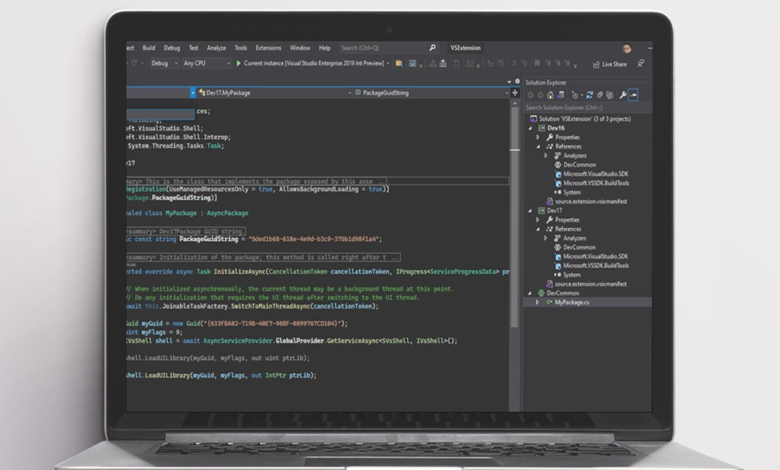
Evaluating Microsoft Visual Studio Professional 2026: Features, Architecture, and Perpetual Licensing
Software engineering teams and independent developers face a continuous balancing act between software license expenditure and developer productivity tools. Integrated Development Environments (IDEs) serve as the primary workbench for application design, debugging, refactoring, and team collaboration. Within this landscape, Microsoft Visual Studio Professional 2026 remains a central platform for building multi-platform applications across desktop, mobile, cloud, and web environments.
Currently available through StackSocial under a promotional arrangement for $29.97—a deal active through August 30 at 11:59 p.m. PT, with prices subject to change—the development suite presents a single-payment lifetime license option. Examining the technical architecture, productivity features, and collaboration capabilities included in this platform highlights how the software supports modern software engineering workflows.
64-Bit Architecture and Cross-Platform Multi-Targeting
A core structural element of Visual Studio Professional 2026 is its native 64-bit application engine. In complex software projects, development environments can encounter performance degradation when opening solutions containing dozens of microservices, large codebases, or extensive dependency trees. The 64-bit architecture enables the IDE to process complex solutions and high-demand workloads without suffering from memory constraints or system slowdowns during building and compilation.
Beyond memory performance, the IDE functions as a centralized environment for cross-platform application development. Engineers developing for mobile and desktop systems can use .NET Multi-platform App UI (.NET MAUI) to build applications targeting multiple platforms from a unified code structure. For web engineering, the environment incorporates Blazor, allowing developers to construct responsive, interactive web user interfaces using C# directly rather than switching contexts to external web frameworks.
The system’s diagnostic toolset spans diverse target environments. Developers working on enterprise software or service layers can execute real-time debugging across both .NET and C++ frameworks. These diagnostic capabilities apply across multiple deployment targets, including local Windows environments, Linux operating systems, and containerized architectures, ensuring developers can isolate defects in environments that match production environments.
Accelerating Iteration: Hot Reload and IntelliCode Integration
Development speed depends heavily on minimizing execution loops during debugging and UI adjustment. Traditional compilation cycles require building an application, starting the execution process, navigating to a specific application state, evaluating changes, and stopping the application to apply modifications. Visual Studio Professional 2026 addresses this operational friction with Hot Reload.
Hot Reload permits engineers to modify C# or C++ code while an application is actively running. The environment applies those code modifications directly to the running application state without requiring a full process restart. This allows developers to adjust logic, tweak interface layouts, and test edge cases continuously, saving valuable time during daily development loops.
Complementing runtime performance is IntelliCode, an artificial intelligence subsystem embedded within the code editor. IntelliCode analyzes the surrounding code context to generate context-aware completions. Rather than providing static syntax suggestions, IntelliCode evaluates patterns established within the specific codebase to complete full lines or entire blocks of code.
The system prioritizes and ranks suggestions to streamline typing and reduce syntax errors. Additionally, IntelliCode provides AI-assisted refactoring capabilities aimed at reducing boilerplate code, enforcing architectural patterns, and preventing common bugs before code is committed to version control.
Contextual Editor Insights and Live Collaboration
Maintaining awareness of code history, test outcomes, and team changes often requires switching between the code editor, git clients, and task tracking systems. Visual Studio Professional 2026 integrates these operational insights directly into the workspace using CodeLens.
CodeLens displays key historical and operational metrics directly above functions, classes, and code blocks. Without leaving the active editor window, developers can view recent code modifications, inspect commit histories, identify author contributions, and check unit test pass or fail statuses. Integrating this metadata directly into the workspace minimizes context switching and accelerates root-cause analysis during maintenance.
For distributed engineering teams, the platform includes Live Share to support real-time pair programming and joint debugging. Standard remote collaboration often requires team members to clone repositories, set up matching local branch states, configure SDKs, and mirror local environment settings. Live Share eliminates these setup steps.
Collaborators can join a live interactive session through a network connection without cloning the repository or installing the project’s dependencies locally. Host developers can share their editing session, allowing teammates to view, edit, navigate, and debug code in real time, making code reviews and troubleshooting sessions significantly more efficient.
Overview of Core IDE Capabilities
| Feature / Component | Target Ecosystems / Core Scope | Primary Workflow Benefit |
|---|---|---|
| 64-Bit Engine | Large-scale solutions and heavy workloads | Prevents IDE memory bottlenecks and system slowdowns |
| .NET MAUI & Blazor | Mobile, desktop, and responsive web UIs in C# | Enables unified cross-platform application development |
| Cross-Platform Debugging | .NET and C++ on Windows, Linux, and containers | Allows direct diagnostic execution across target deployment platforms |
| Hot Reload | Running .NET and C++ applications | Applies code edits instantly without requiring application restarts |
| IntelliCode | Contextual C# / project codebase patterns | Offers AI line/block completion and refactoring assistance |
| CodeLens | In-editor metadata display | Shows commit history, authorship, and test status inside the editor |
| Live Share | Real-time remote collaboration sessions | Allows joint debugging without requiring repo clones or dependency setups |
Licensing Dynamics: Single-Payment Purchase vs. Subscriptions
The current offer for Visual Studio Professional 2026 at $29.97 via StackSocial represents a distinct purchasing model compared to recurring subscription options. Under the terms of this single-payment license, buyers gain lifetime access to the software without ongoing monthly or annual subscription fees.
For independent software developers, consultants, and smaller engineering teams monitoring operational expenditures, a single-payment model provides long-term cost predictability while delivering access to professional-grade engineering tools. Interested developers should keep in mind that this promotional offer runs through August 30 at 11:59 p.m. PT, and StackSocial notes that promotional pricing remains subject to change prior to expiration.
Visual Studio Professional 2026 combines high-capacity 64-bit performance, multi-platform targets via .NET MAUI and Blazor, intelligent autocompletion with IntelliCode, rapid iteration via Hot Reload, in-editor metrics through CodeLens, and remote teaming through Live Share. Evaluating these core capabilities against active project requirements provides a clear basis for long-term software toolchain decisions.